
The whole sky,
from first light to last
Time-lapse camera for iPhone · Morning · Daytime · Evening
CloudsForever eases exposure through sunrise and sunset while the camera sits on the tripod — and a second phone in your hand runs the take.
Built by a photographer who kept losing the best minutes of the day
After three years of shooting cloud time-lapse on iPhone, Richard Olsenius — photographer and filmmaker, with eight features in National Geographic — ran into the same problem at every sunrise and sunset. As the light changed, the exposure jumped in steps, and the slow drift of the sky turned into flicker.
He couldn't find an app that followed the light smoothly, so he built one: a camera that carries exposure across the whole change of light, runs as long as the sky does, and lets you walk away from the tripod.
One camera, three kinds of day
Pick the mode for the light in front of you. Each one is a single exposure plan, applied frame by frame for the whole take.
ISO comes down toward base first, then the shutter shortens — so the cloud edges keep the same softness of motion through the brightest part of dawn.
Files named M- or M1-, M2-…No ramp. The exposure read when you press Start holds for the whole take. In the heat of the day the camera slows its sensor to stay cool — without touching a single kept frame.
Files named D- or D1-, D2-…The shutter lengthens first, then ISO rises, carrying the scene through golden hour and into dusk without the stepped jumps of auto exposure.
Files named E- or E1-, E2-…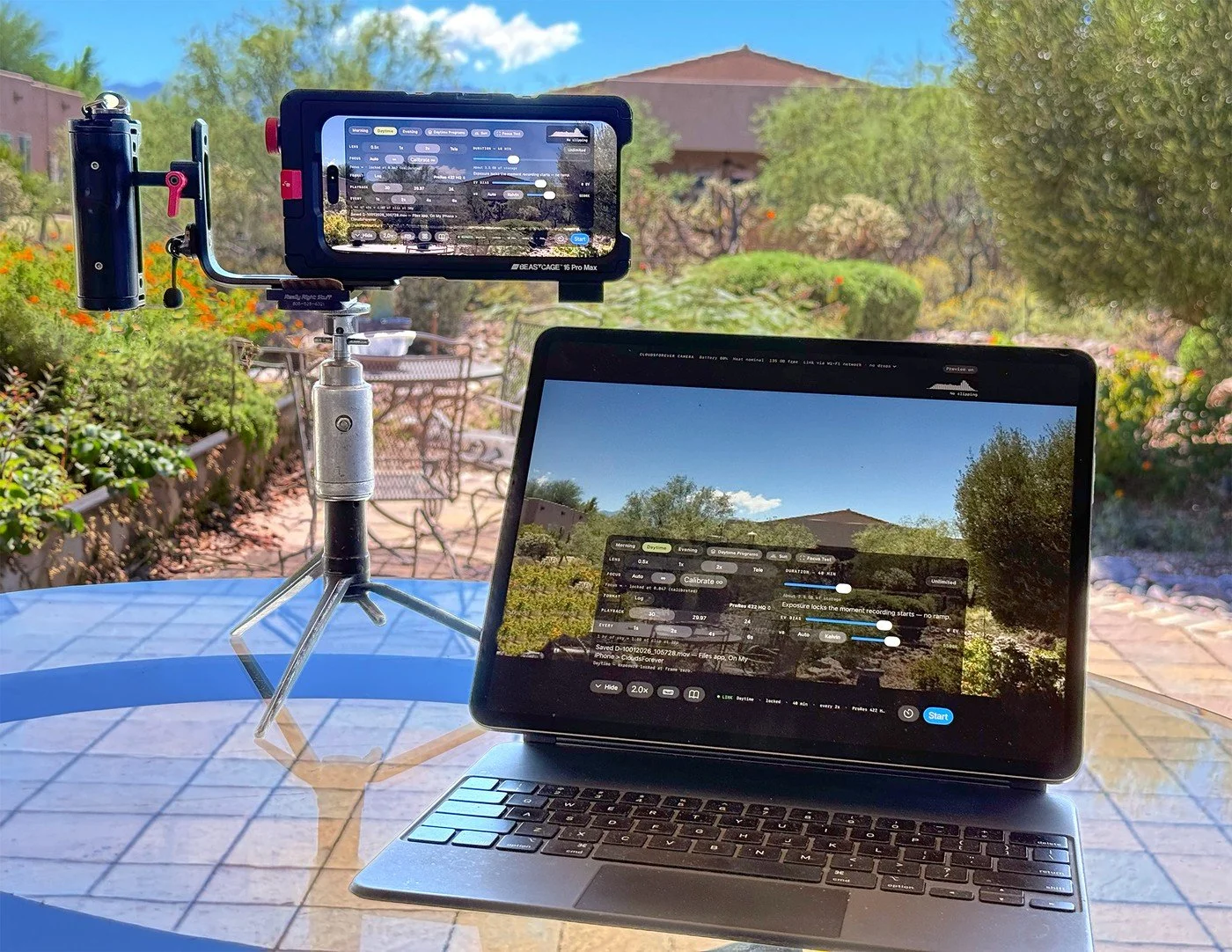
Set it up. Step back.
The camera phone records on the tripod. During a take its screen goes dark to keep it cool.
The remote — a second iPhone or an iPad — shows the live frame, starts and stops the take, and changes every setting.
From the ground you see what you can't from the tripod: battery, heat, free storage, and whether the link is up.
If the remote locks, runs flat or walks out of range, the take carries on. The remote catches up when it's back.
Every control, on one panel
The same panel on both phones. Hover a gold marker to see what each part does — on a phone, use the arrows beneath the picture.
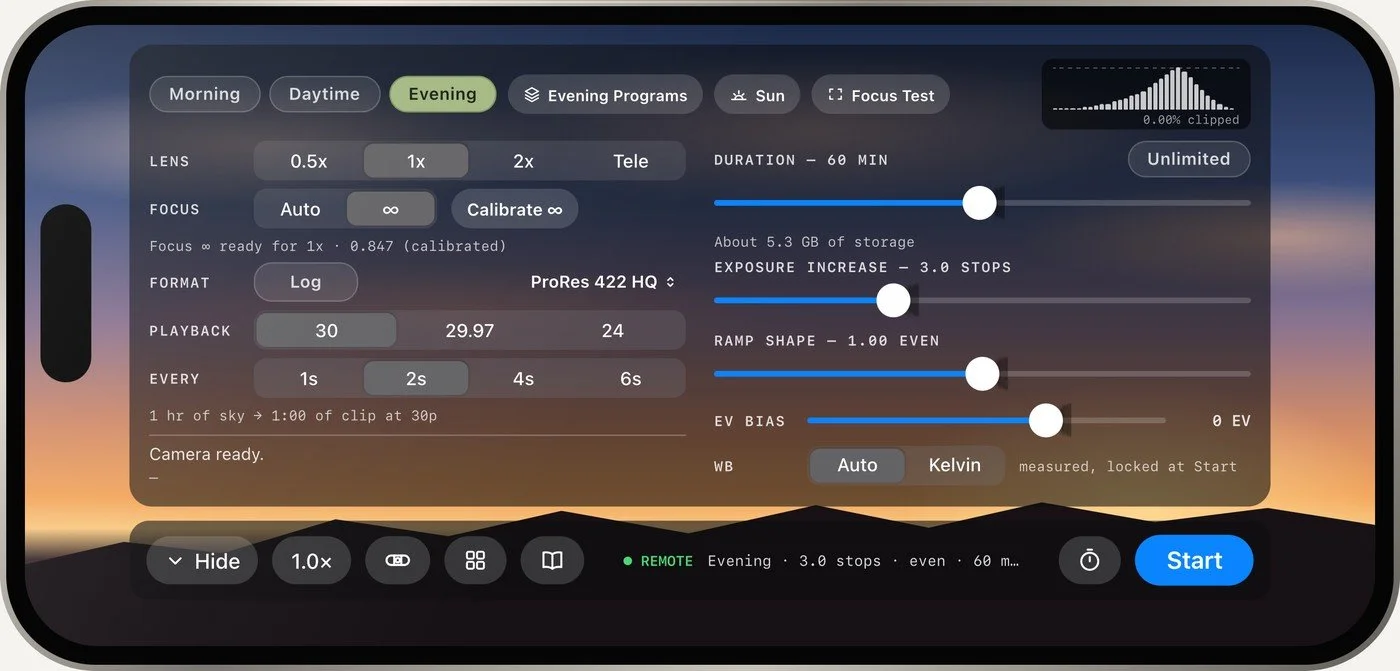
Which way the light is going. Morning closes the exposure down as the sky brightens, Evening opens it up as the light falls, and Daytime holds one exposure.
Save a setup that worked and bring it back with two taps. Each mode keeps its own list, and plans from Future Shoot get a section of their own.
First light, sunrise, golden hour and sunset where the camera stands, with a suggested ramp for each end of the day. Future Shoot plans any date, anywhere.
Pulls one full 4K frame — the same frame the movie is made of — so you can check focus at 1:1, even in the middle of a take.
Reads the recorded frames, not the screen, and turns amber or red the moment bright cloud starts to lose detail. It works in Log too.
0.5x, 1x, 2x and Tele. The 2x is the main camera's full-detail crop, and the app never swaps lenses by itself in the middle of a take.
Measure true infinity once for each lens and every take locks there — sharp skies through haze, rain or blank overcast.
4K ProRes 422 HQ, 422 or LT, HEVC or H.264 — with Apple Log for grading, on phones that have it.
One frame every 1, 2, 4 or 6 seconds, played at 30, 29.97 or 24 fps. The line beneath says what an hour of sky becomes.
How long the ramp runs. Unlimited keeps recording until you press Stop, holding the last exposure, and stops itself before storage runs out.
How many stops the exposure changes, and the shape of the change — even, front-loaded for dawn, back-loaded for sunset. Tiny steps every frame, so there's nothing to flicker.
Shifts the starting exposure so the bright clouds near the sun keep their texture. The whole take moves with it.
Auto, or a fixed Kelvin. Shoot every clip at 5500K and a whole collection shares one colour starting point.
Tilt, compass direction and a level line. Save an angle with a name, and find the same framing another day.
Every clip on the camera phone, ready to play, star or share. The star travels in the file's name, all the way to Finder and Resolve.
Green when a remote is connected. Whatever the link does, the camera keeps recording.
Frame it in the dark, arm it, and walk away. The camera starts the take itself at first light or golden hour.
Seventeen markers — each one a real control in the app.
Made for long takes and real workflows
Pick a date and a place and get first light, golden hour and last light, with a ramp to match. It's worked out on the phone, so it works with no signal.
Save a setup that worked and bring it back the next time the weather does this. Both phones always show the same list.
4K in ProRes 422 HQ, 422 or LT, HEVC or H.264. One frame every 1, 2, 4 or 6 seconds, played back at 30, 29.97 or 24 fps.
Unlimited takes run until you press Stop, and stop themselves before storage runs out. Near the end of a timed take, you're offered the chance to keep going.
Every take is named for its program or time of day, so Finder keeps your mornings, days and evenings together.
M1-09272026_082303.movMark your keepers in the catalog. The star is part of the file name, so it arrives in Finder and Resolve with the clip.
★ E2-09272026_174210.movTen screens, one camera
Swipe or use the arrows, and tap any one to see it full size.
Time-lapse skies, without the flicker.
The camera on the tripod. The control in your hand.
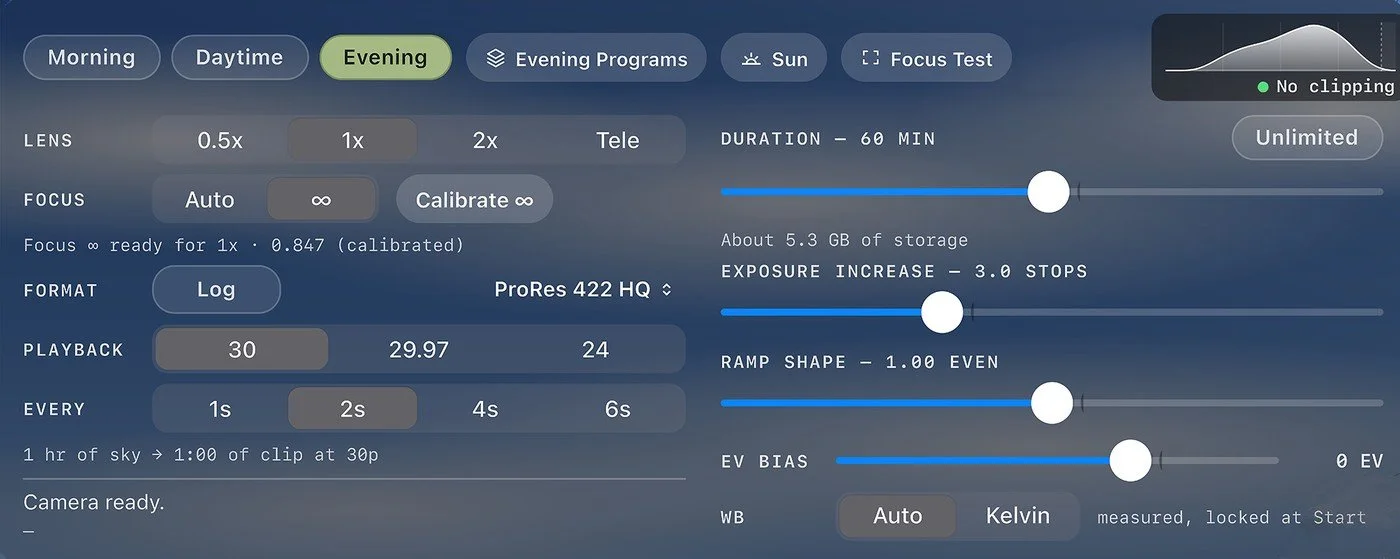
Every setting on one panel.
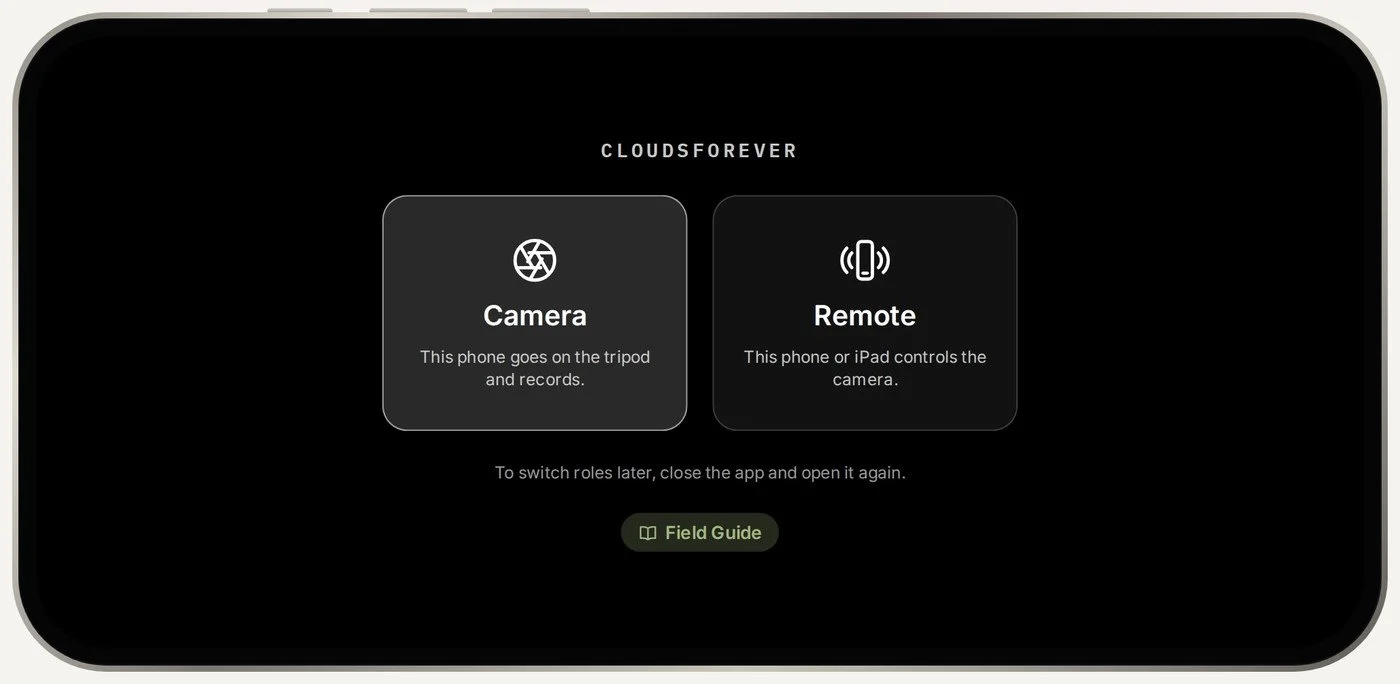
One app. Camera or remote.
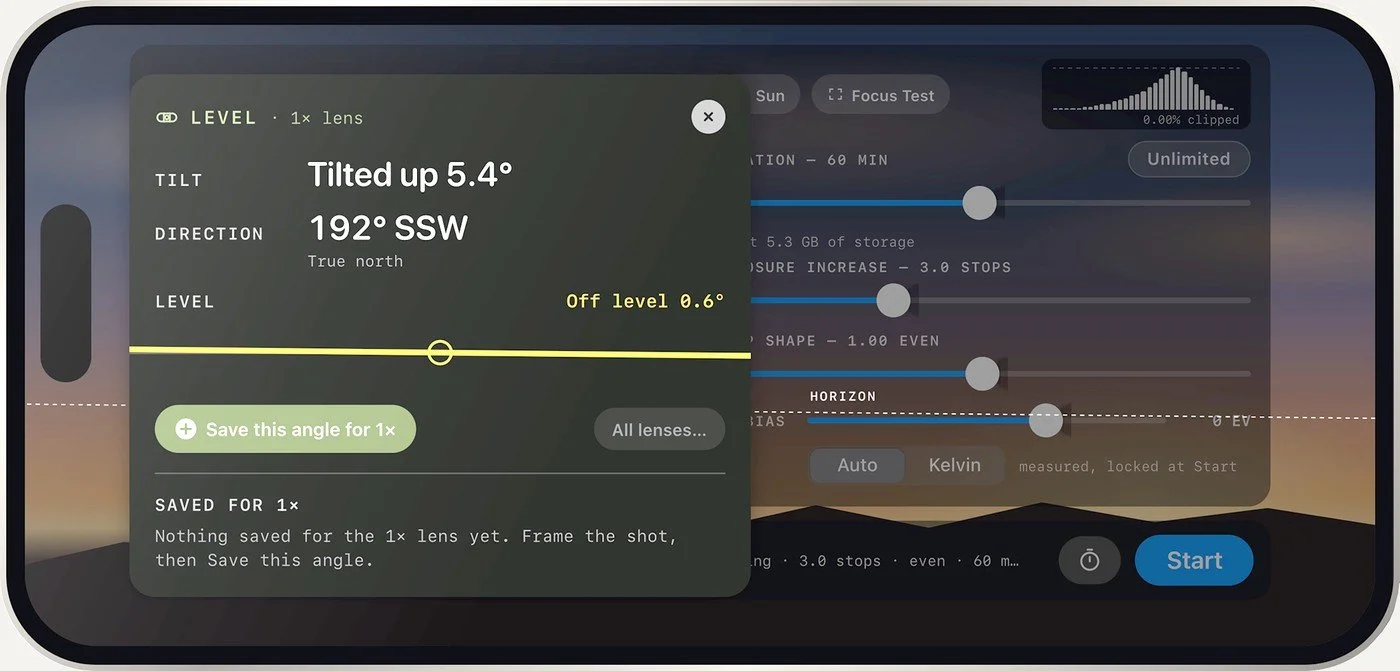
Find the same framing, every time.
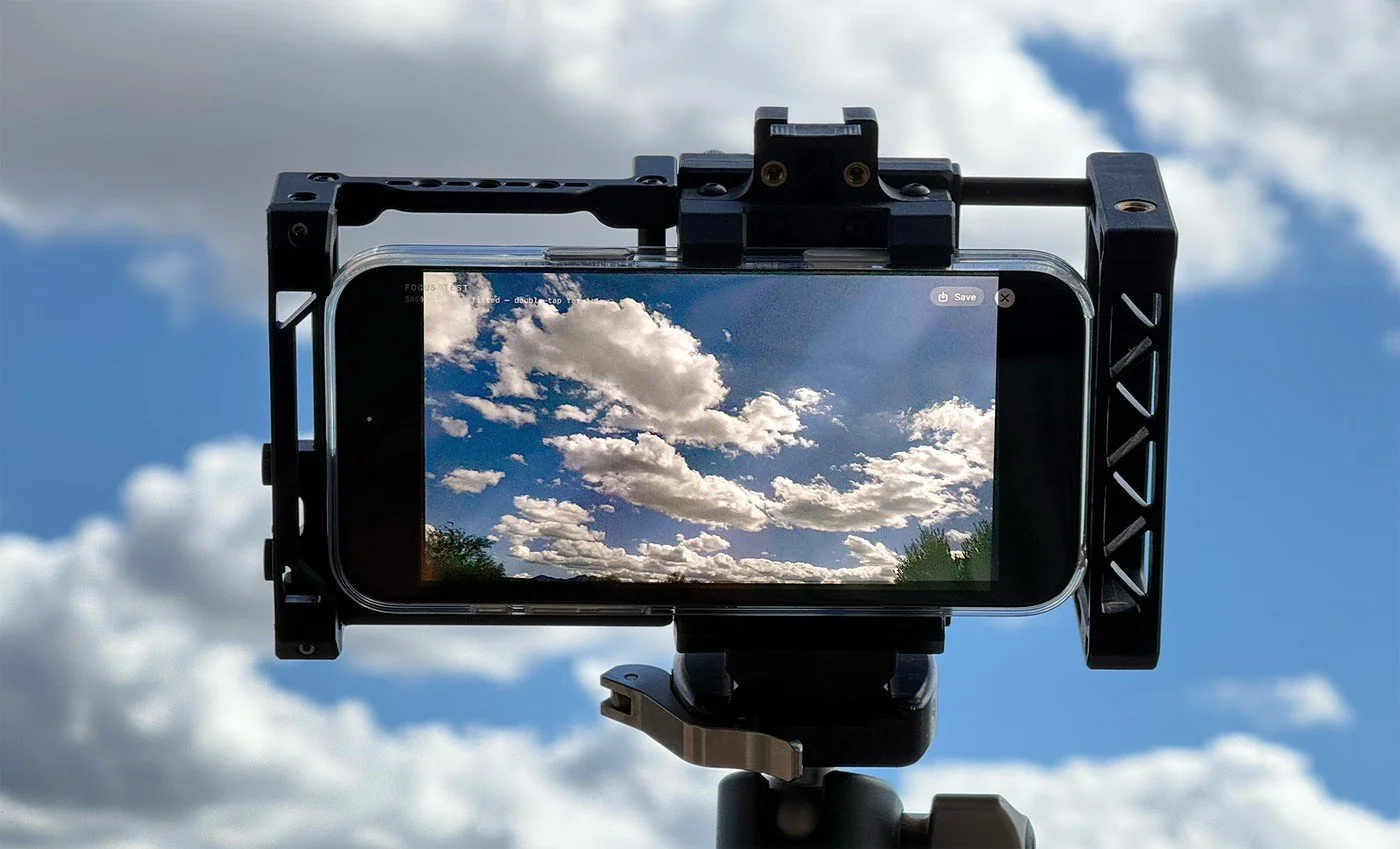
Check focus at full 4K.
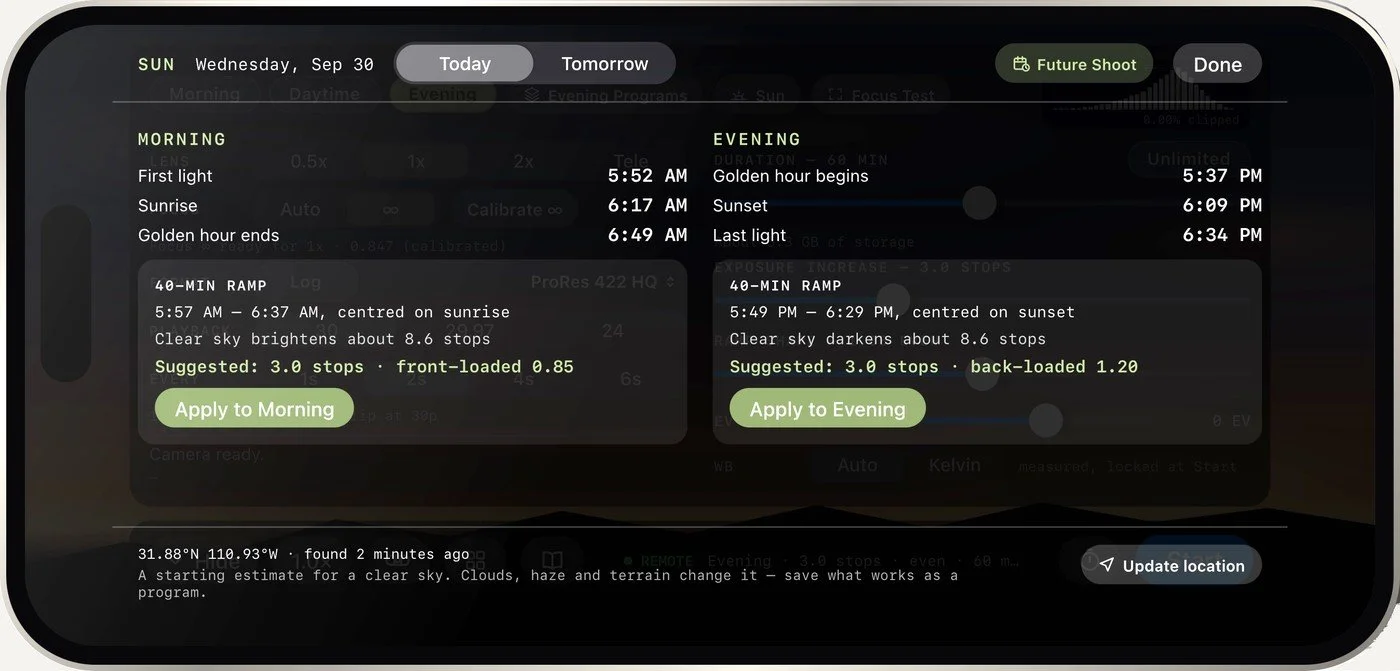
Know when the light arrives.
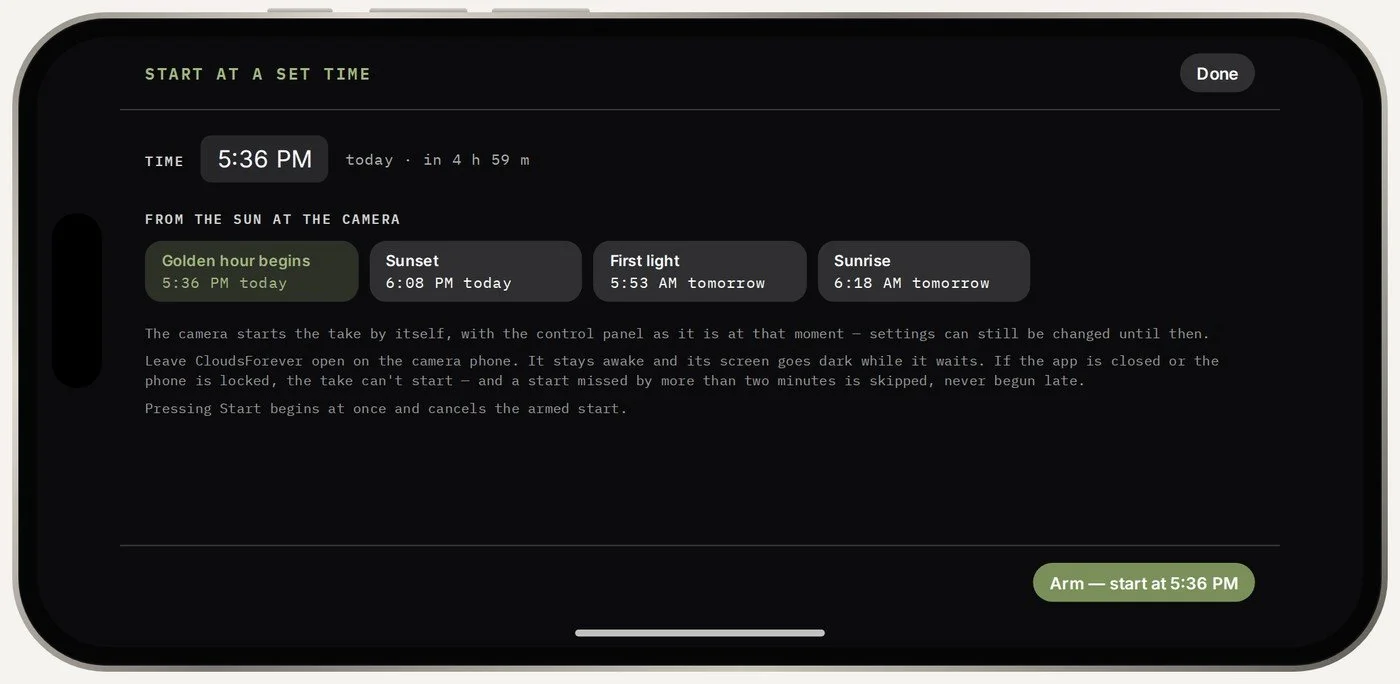
Set it, walk away. It starts itself.
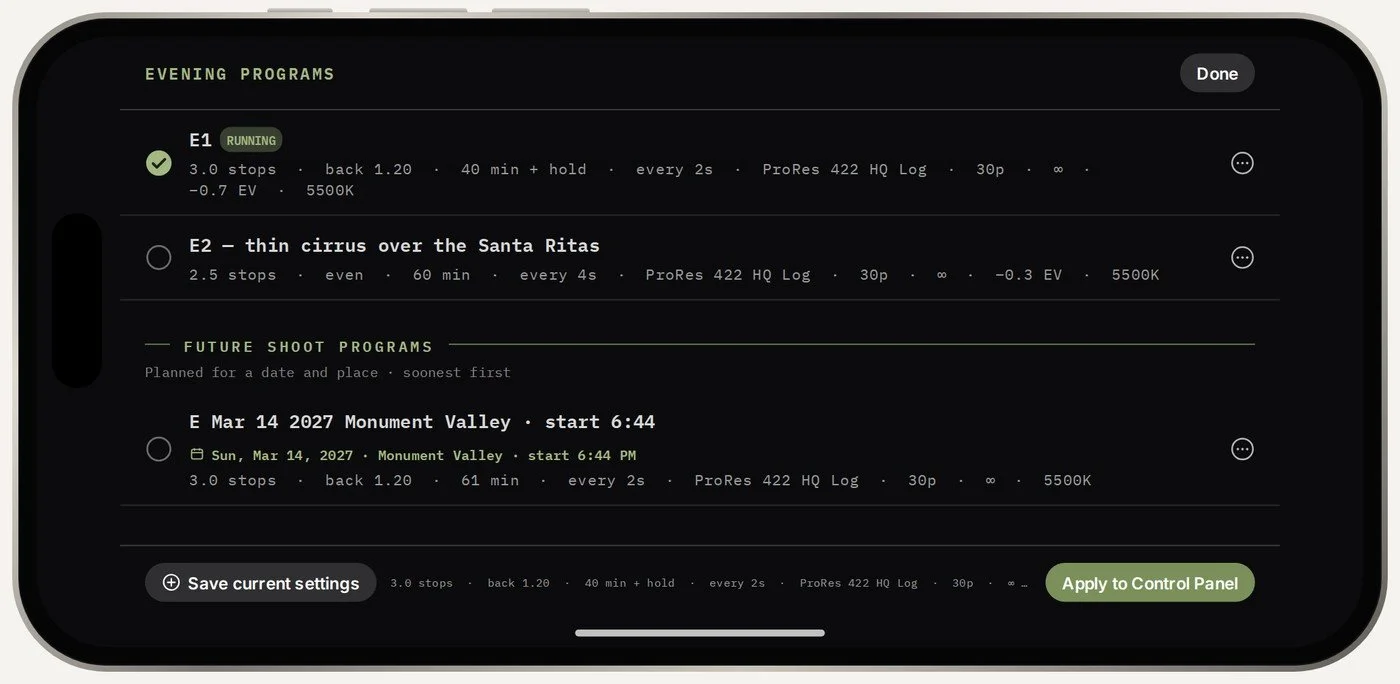
Save the setups that work.
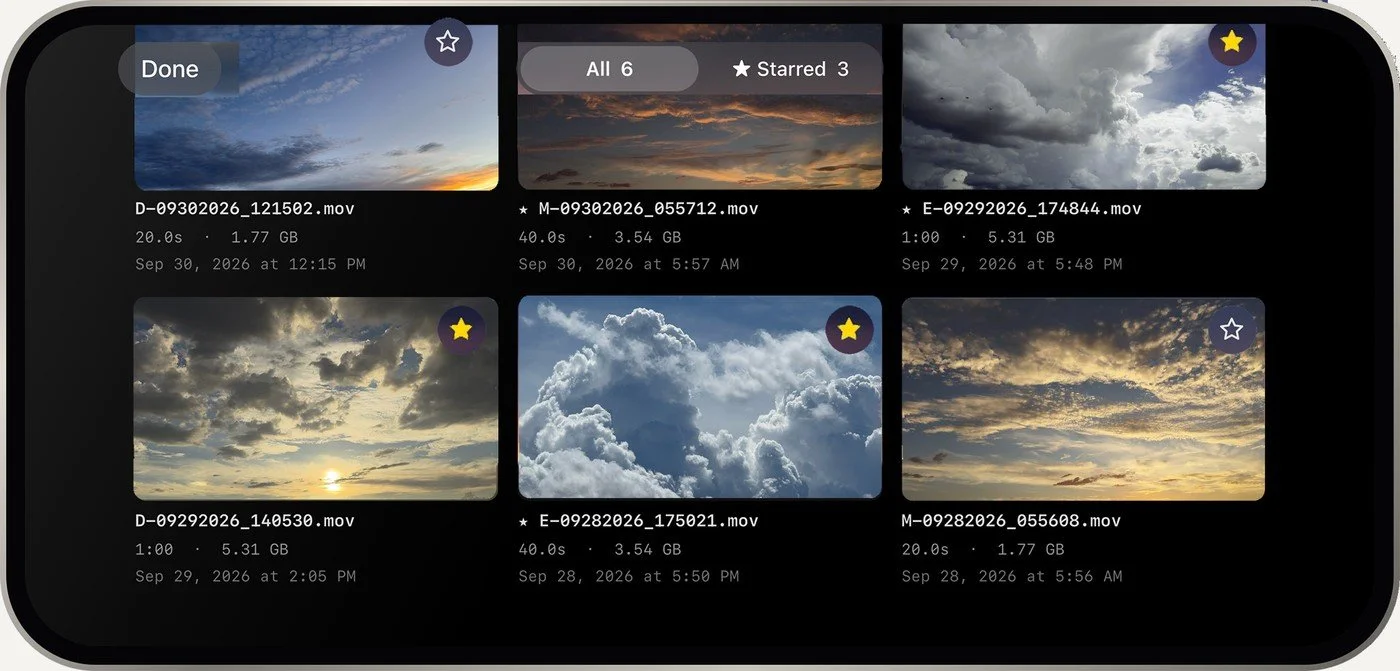
Star the keepers.
One price. Yours to keep.
One-time purchase · No subscription · No account
Requires [iPhone models and iOS version]. A second iPhone or iPad as a remote is optional.
Coming to the App StoreThe clouds behind the camera
CloudsForever is also a collection of cloud time-lapse paired with original music by Richard Olsenius — made for designers and developers of websites and performance venues.
A time-lapse camera for iPhone, made by a landscape photographer for the sky.
Your clips and your location stay on your own devices. The link between your phones stays between your phones. No accounts, no tracking, nothing collected. Only a place look-up in Future Shoot uses the internet.
Full privacy statement